Free lesson from Getting Started on Preply
The Profile Photo
No sign-up needed: this is exactly how lessons look inside the course.
You can find and edit your profile photo under My Profile → Photo.
Why Your Photo Matters
The profile photo is the most critical element of your profile when it comes to attracting new students, quite simply because it is the very first thing people see. A strong photo signals professionalism, warmth and quality, making potential students far more likely to book a lesson with you.
Real-Life Example
Teacher A
Possesses 10 years of teaching experience, an impressive degree, and top teaching qualifications. However, Teacher A used a normal, casual selfie and struggled significantly to attract students.
Teacher B
Has zero teaching experience and no formal qualifications. However, Teacher B used a professional studio-style photo, attracted many students, and successfully charged a premium price.
Take-away: presentation heavily influences perceived professionalism.
Two Good Options
1. Professional Studio Photo
Booking a session with a professional photographer in a studio is a strong option if you want the most traditional, guaranteed high-quality result. It ensures perfect lighting and a polished aesthetic.
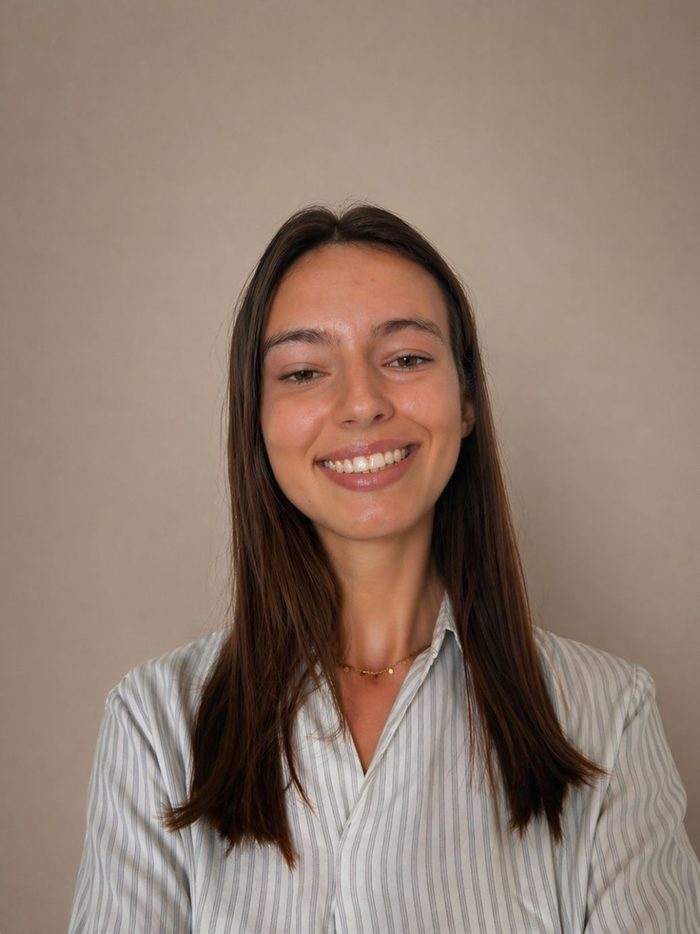
2. ChatGPT Photo Editing
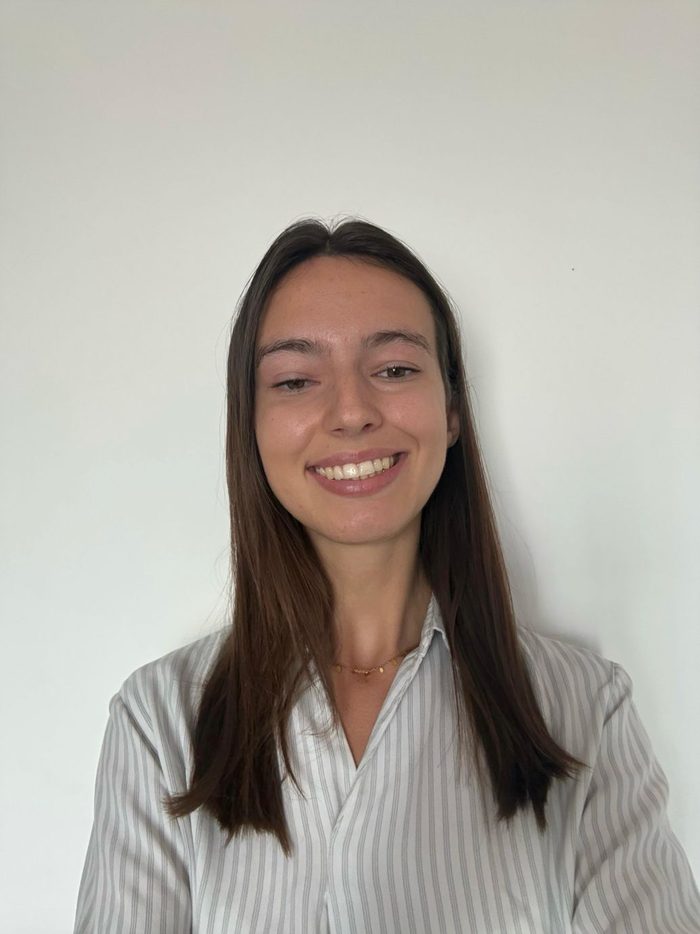
A simple photo taken in front of a white wall can be significantly improved using AI. You can adjust the background and lighting while keeping your actual face completely true to the original image.
ChatGPT Prompt to Try
If you choose to use ChatGPT to elevate a simple photo, use the prompt below and follow up with more prompts until you get what you want.
"Transform this photo into an elevated fashion studio portrait. Choose a complementing colour background that enhances the subject's skin tone. Apply directional lighting with subtle shadows. Preserve natural skin tones while making the image polished, minimal, and editorial, like a magazine photoshoot. The face and clothing should remain exactly as in the original photo. Only enhance elements like lighting and background, and overall polish, without making the image look overly edited or artificial."
Before & After Example
What Your Photo Should Communicate
When selecting or editing your final photo, review it against these key attributes:
- Friendly and warm: a smile goes a long way.
- Approachable: remember that new students may feel nervous meeting a tutor online for the first time.
- Professional and trustworthy: clean attire and neat presentation.
- Natural: avoid heavy filters or over-editing.
- Clear, bright, and polished: good lighting is essential.
Students often decide how comfortable they feel with a tutor in mere seconds. By taking the time to present yourself well, the right profile photo can make a major difference in your teaching success.
Enjoyed this lesson?
Get the full course: Getting Started on Preply
This is one of 58 lessons across 10 sections, all available the moment you buy. Everything I did to go from complete beginner to top-rated Preply tutor, step by step: setting up a profile that gets booked, pricing your lessons, using the Preply classroom, turning trial lessons into regular students, and understanding how Preply's metrics and search ranking work.
Launch price until 31 December 2026, then €249